Talk to Sales
Get Started With CTRL ENTER
Go to Page
Sidepanel Installation
Sidepanel Installation Tutorial Video
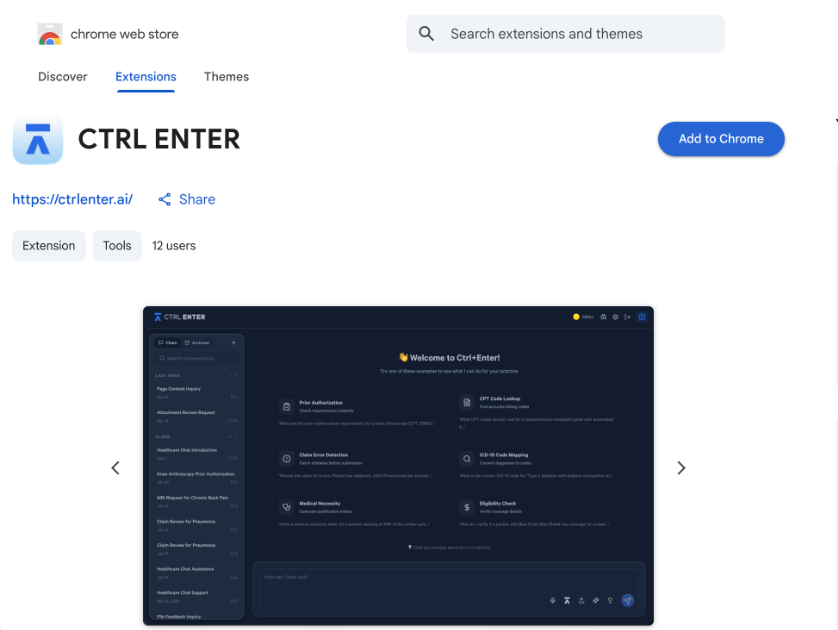
Step 1 — Go to the Chrome Web Store
Open Google Chrome and navigate to the Chrome Web Store, or search "CTRL ENTER" in the store's search bar.

Step 2 — Add the Extension
Click Add to Chrome, then confirm by clicking Add extension in the popup dialog.
Step 3 — Open the Extension
Once installed, click the Extensions icon (puzzle piece) in your Chrome toolbar, then find Ctrl Enter in the list.

Step 4 — Open the Side Panel
Click Open Side Panel. The CTRL ENTER panel will appear on the right side of your browser.

Step 5 — Account Creation or Sign In
Create your account or sign in.

Step 6 — You’re Ready!
Once signed in, your side panel will load and you can start using CTRL ENTER right away. Try one of the built-in prompts to get started, or just ask it anything.


ENTER is HIPAA compliant and SOC 2 Type 2 certified. See our trust center to learn more.
Ready to Get Started?
Talk to our sales team and see how much ENTER can impact your Revenue Cycle Management today!