Talk to Sales
Introducing CTRL ENTER 2.0: Intuitively Made for You
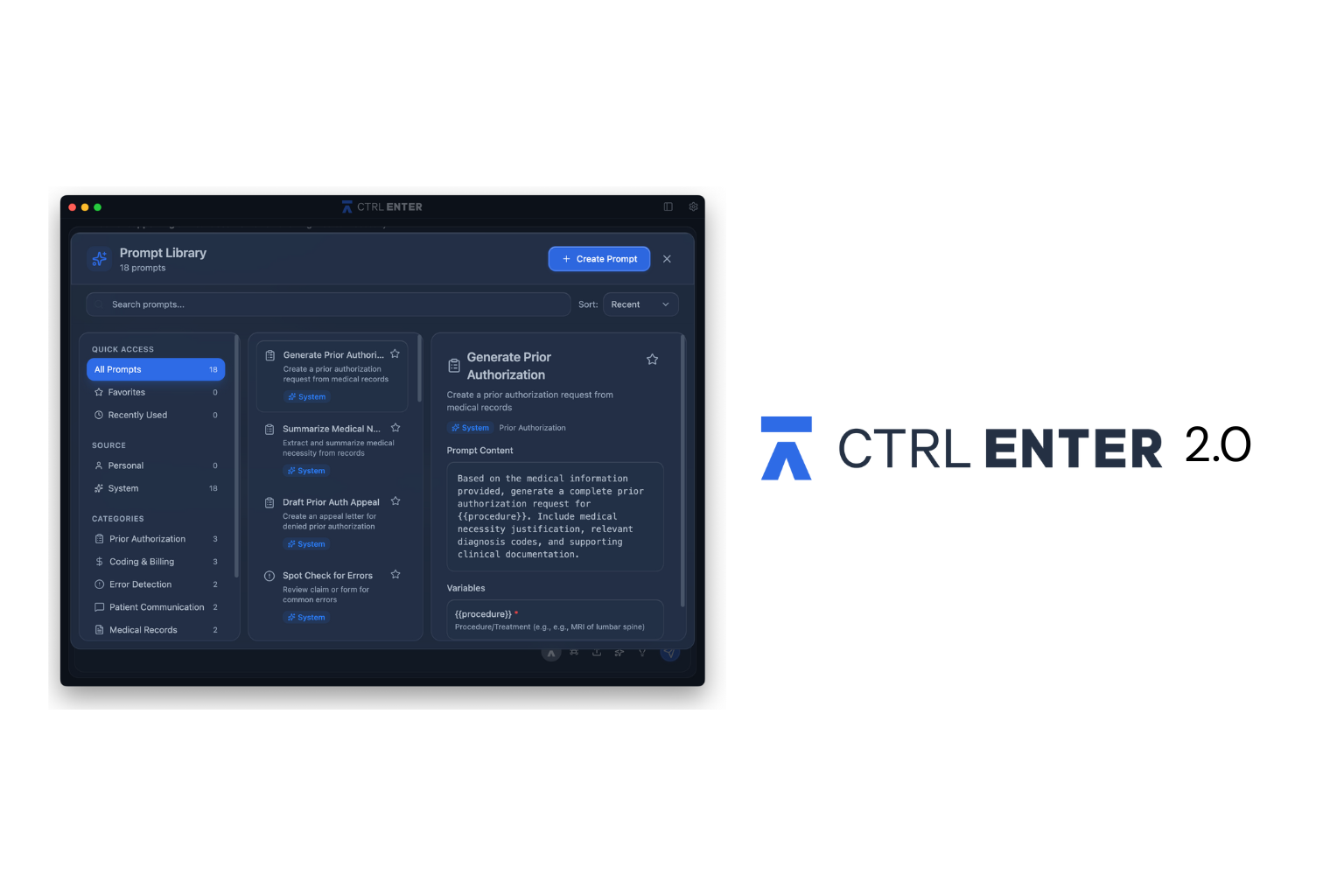
Today, we're excited to announce CTRL ENTER 2.0, a complete reimagining of how AI can support your practice. We’ve added some exciting new features that will make sense of every part of your workflow, for every role.
What's New?
Personalization: Train Your AI to Think Like You
A front desk coordinator doesn't need the same outputs as a billing specialist, and a family medicine doc doesn't document the same way as an orthopedic surgeon. Most generic AI tools typically force you to constantly re-explain your context with every prompt.
CTRL ENTER 2.0 now learns who you are and what you're dealing with. Through our new Personalization feature, you tell the system your role, your priorities, and the unique challenges you face in your practice.
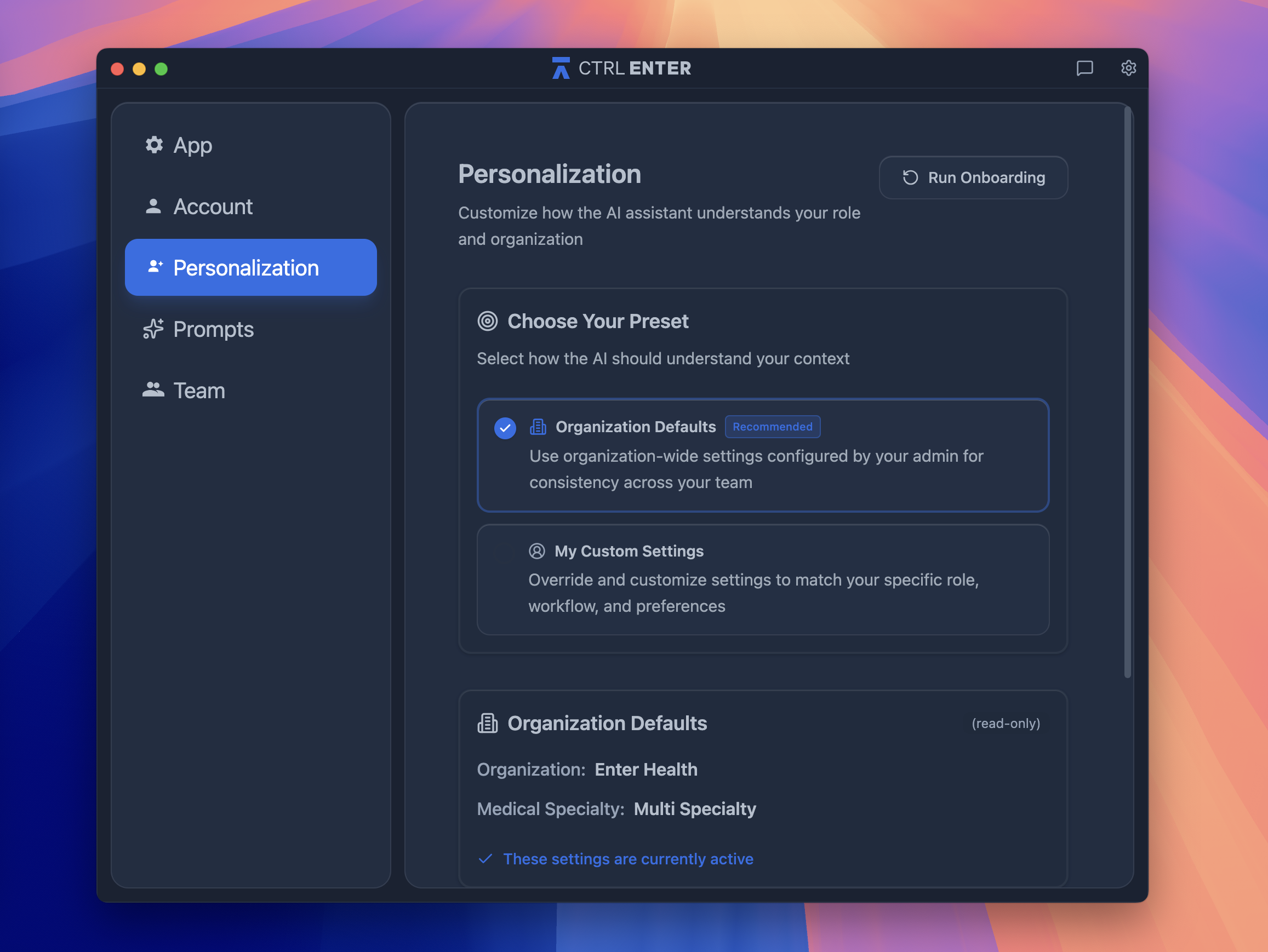
If you're signed in, restart Personalization anytime in Settings → Personalization tab. Your organization may have already configured default settings for you. For a more tailored experience, select "My Custom Settings" as your Preset and click "Run Onboarding" to customize your role and add specific context.
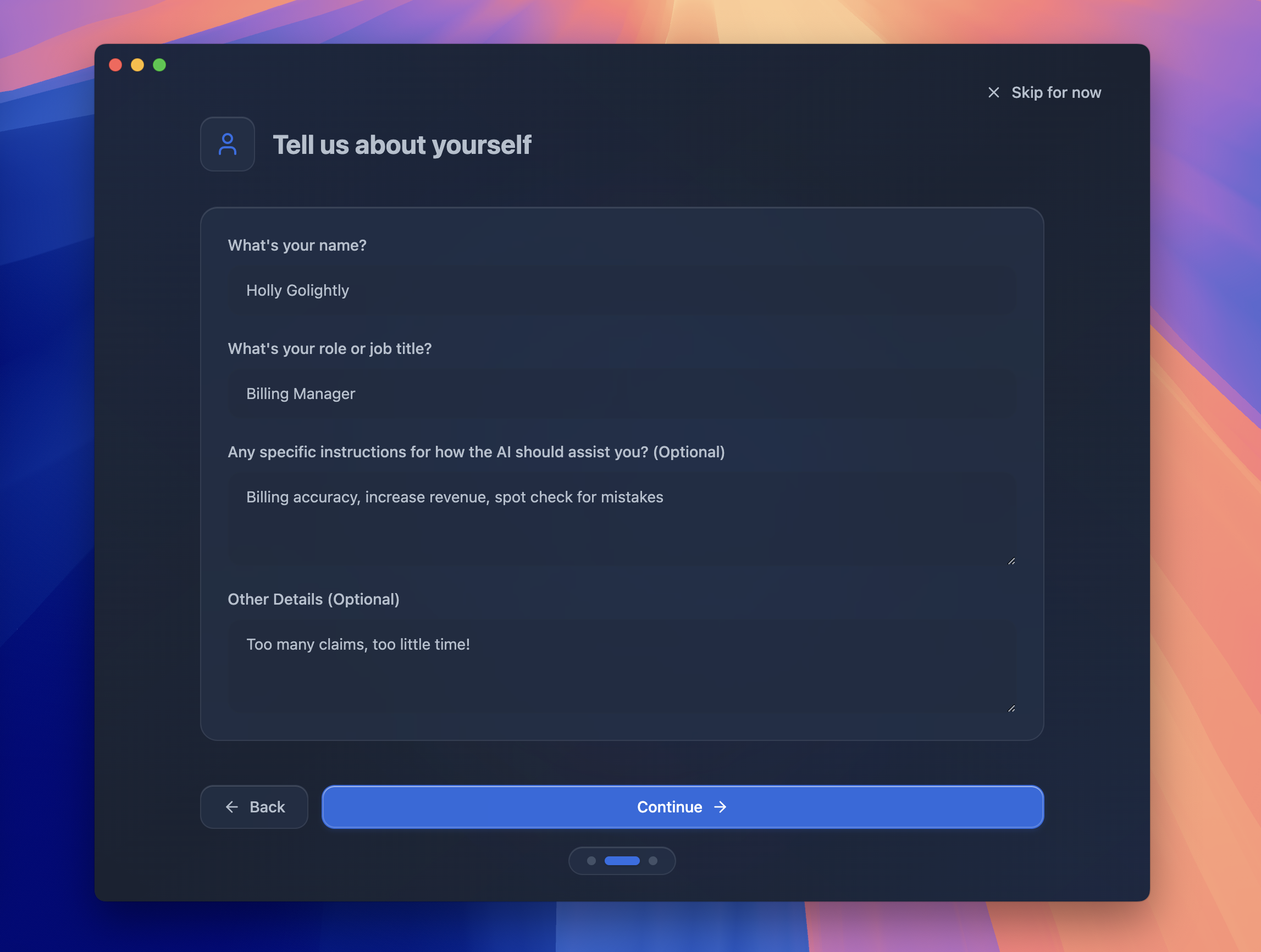
Billing Manager focused on accuracy and revenue optimization? Practice Administrator drowning in claims volume? The AI adapts its suggestions and outputs based on your specific context. CTRL ENTER is your very own AI assistant, made just for you.
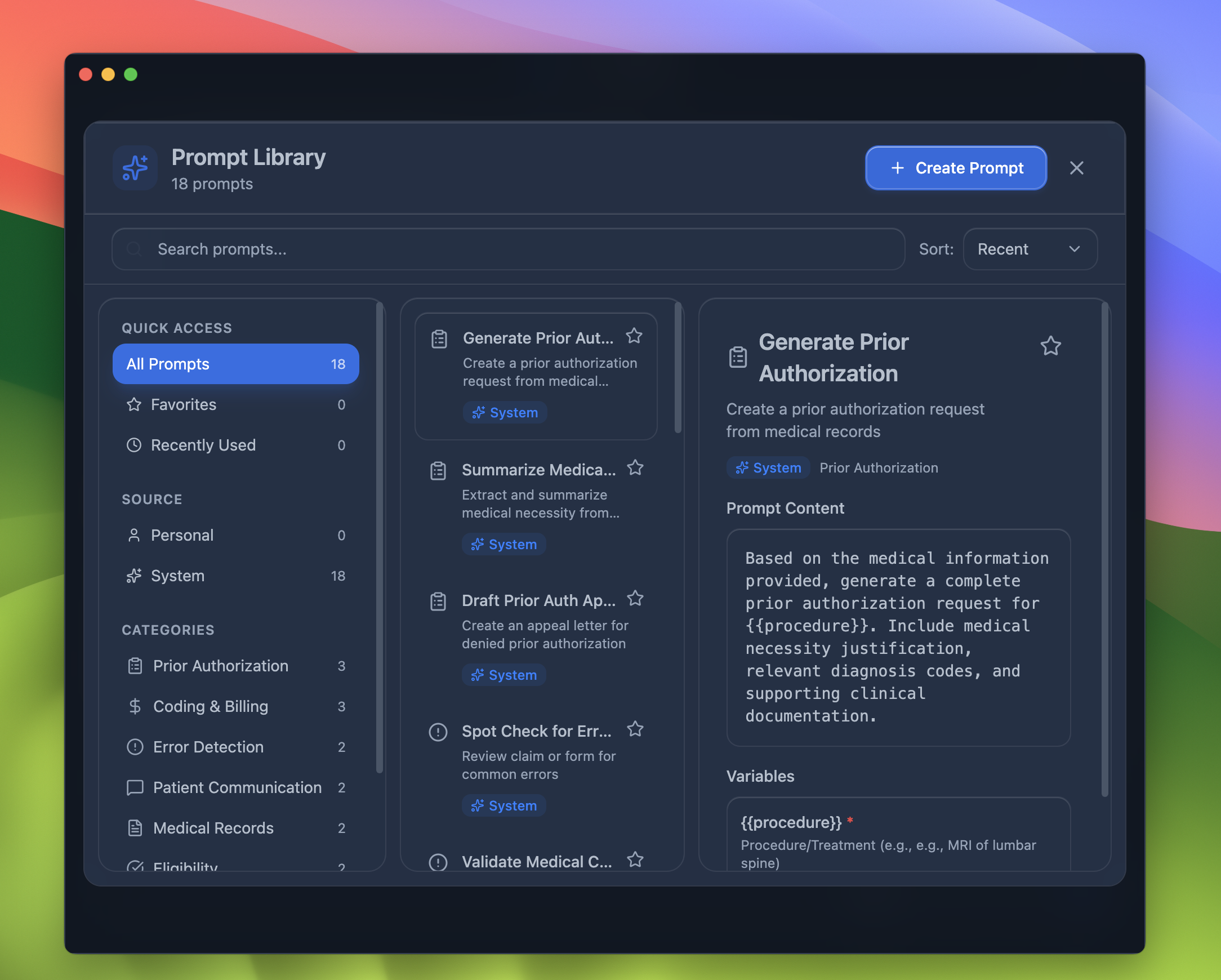
Prompt Library: Your Most-Used Commands Available Instantly
Our observations in various medical offices showed providers were typing variations of the same 5-10 prompts dozens of times per day.
"Summarize this encounter." "Draft a referral letter." "Generate a prior auth justification."
Muscle memory kicks in, but it's still wasted keystrokes...and time adds up when you're managing 30+ patients a day.
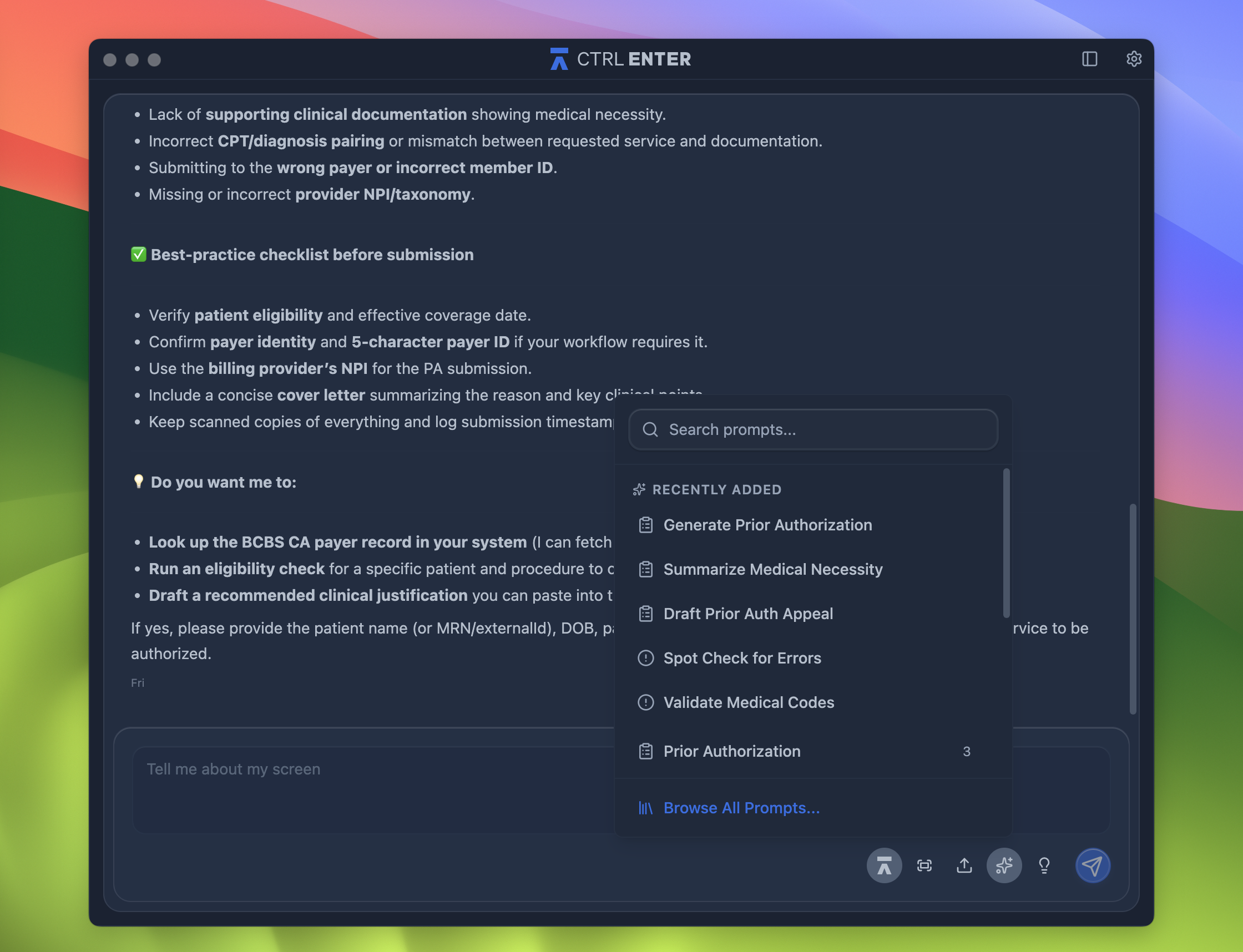
Now, you can finally stop retyping the same requests over and over. CTRL ENTER 2.0 introduces a Prompt Library that saves your frequently used commands.
Whether you're summarizing patient encounters, generating treatment plans, or drafting referral letters, all it takes is one click. Your go-to prompts are instantly ready to work.
Customizable Prompts: Make It Yours (or Theirs!)
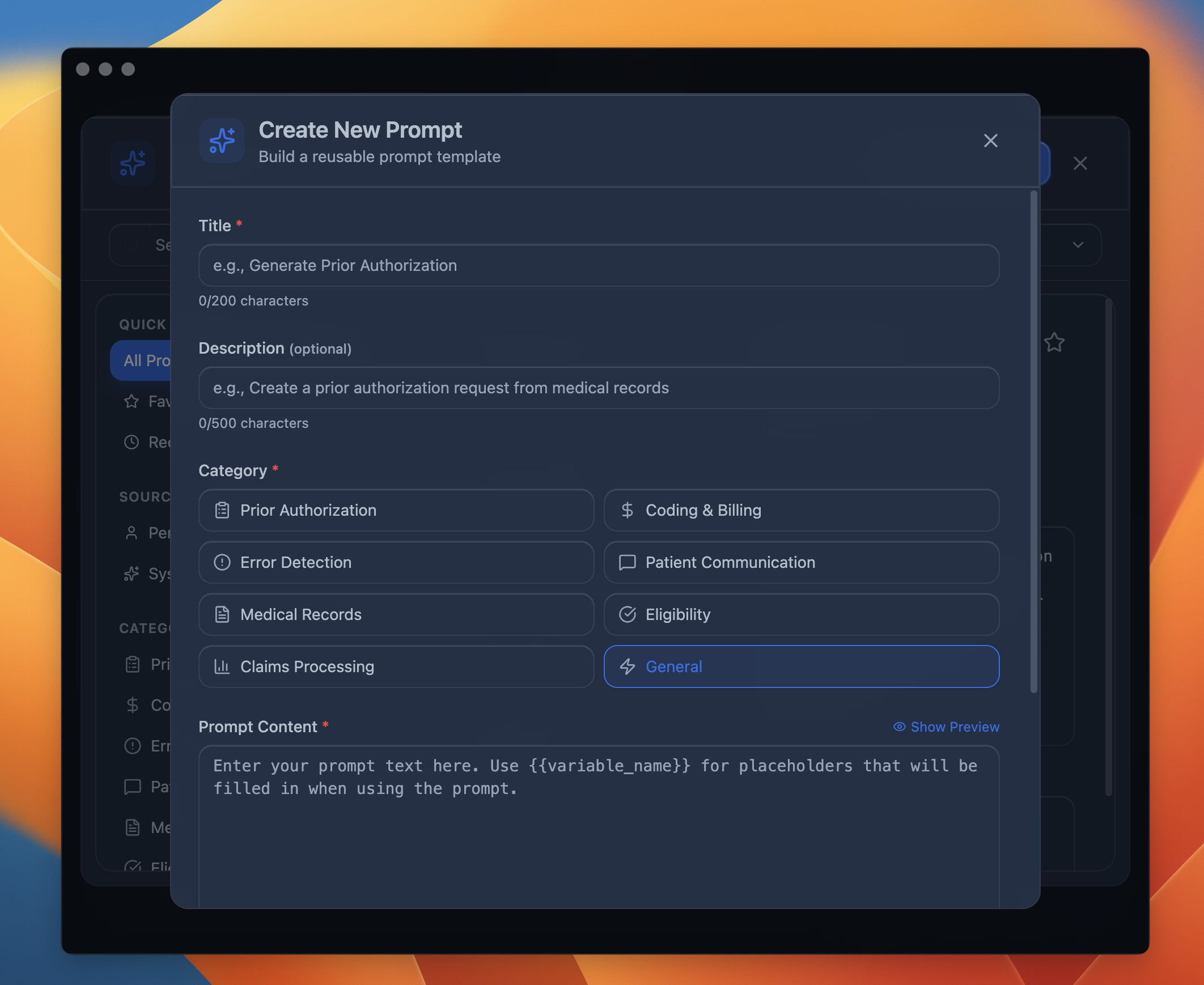
Not every practice follows the same documentation standards. Cardiology wants specific formatting for stress test summaries. Pediatrics needs growth chart references in well-child visits. Orthopedics wants functional assessments structured differently than internal medicine. Out-of-the-box prompts can't account for these specialty-specific requirements—or your personal style.
Every practice is different. Every provider has their own style.
Now you can customize prompts to match your documentation preferences, specialty requirements, and workflow. Need your discharge summaries formatted a specific way? Want diagnosis codes suggested based on your patient population?
Build it once, use it forever!
AI-Suggested Prompts: CTRL ENTER Already Knows What You Need
Even with saved prompts, there's still decision fatigue. You're staring at a complex chart wondering, "What do I even need to ask for first?" Smart suggestions eliminate that moment of hesitation. The AI observes patterns in your work: what you typically need when opening certain types of cases and surfaces the right tools before you have to think about it.
CTRL ENTER 2.0 learns from your patterns and suggests relevant prompts based on the context of your work.
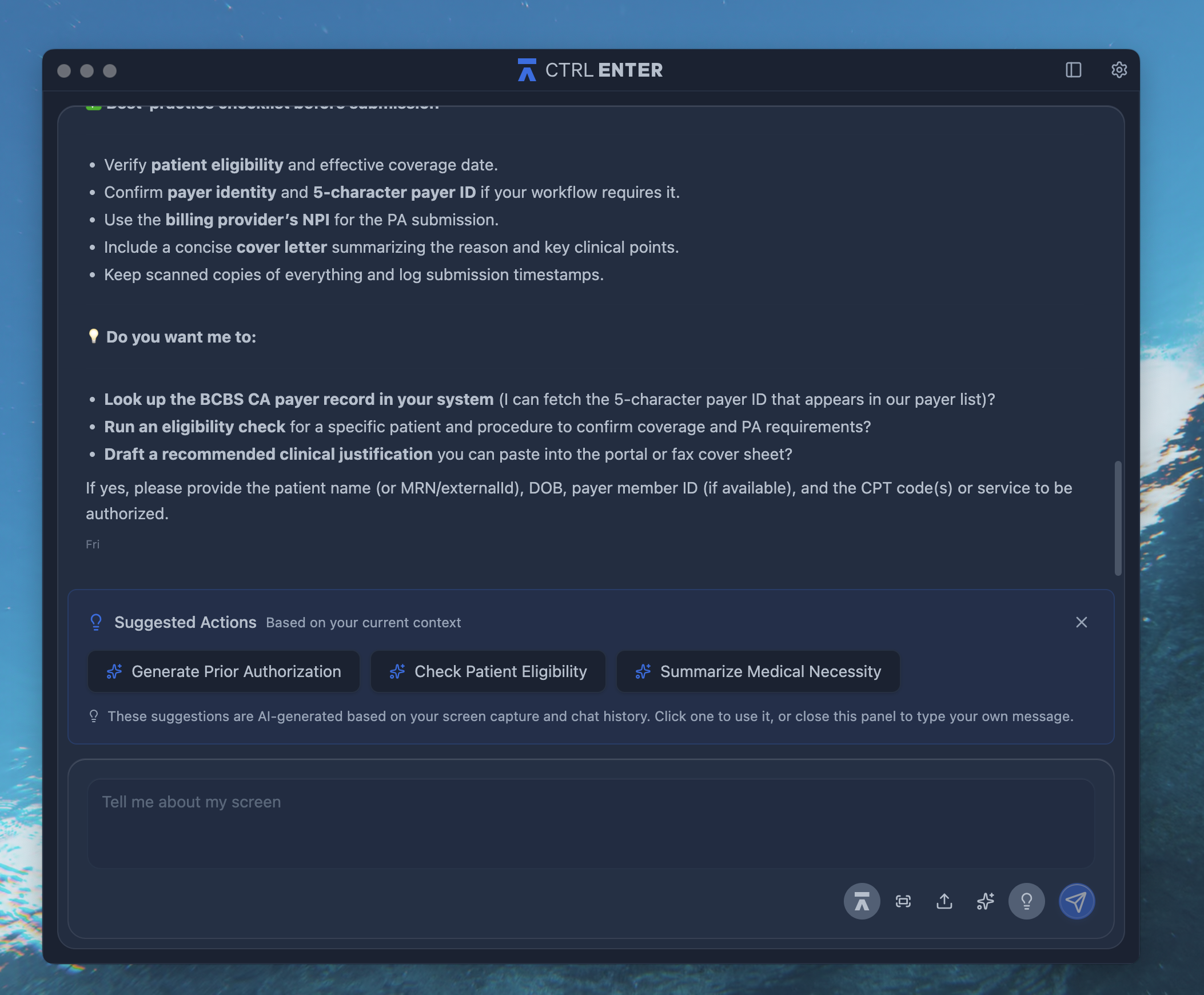
Opening a complex case? The system might suggest "Generate differential diagnosis" or "Summarize relevant medical history." It's like having a colleague who knows exactly what you're about to ask for.
A Cleaner, More Intuitive Interface
When you're between patients or racing to finish documentation before leaving for the day, every extra step matters. We rebuilt the interface from scratch based on actual usage patterns and direct provider feedback.
We've consolidated everything into a streamlined user interface that puts the tools you need front and center. Less clicking through menus, more time focused on patient care. The new design reflects hundreds of hours of provider feedback, resulting in a workspace that simply makes sense.
Why This Matters
Clinical and billing documentation shouldn't be the hardest part of your day. CTRL ENTER 2.0 is built on a simple premise: AI should adapt to how you work, not the other way around.
Whether you're a solo practitioner seeing 30 patients a day or part of a large health system managing complex cases, these updates mean less time on administrative tasks and more time doing what you do best: caring for patients.
Ready to Experience CTRL ENTER 2.0?
Existing users will see the updates rolling out automatically over the next week.
New to CTRL ENTER? Now's the perfect time to see how AI can transform your documentation workflow. Schedule a demo.
Results
Sources
About the Author


ENTER is HIPAA compliant and SOC 2 Type 2 certified. See our trust center to learn more.